How to Exclude Audiences in PPC Campaigns
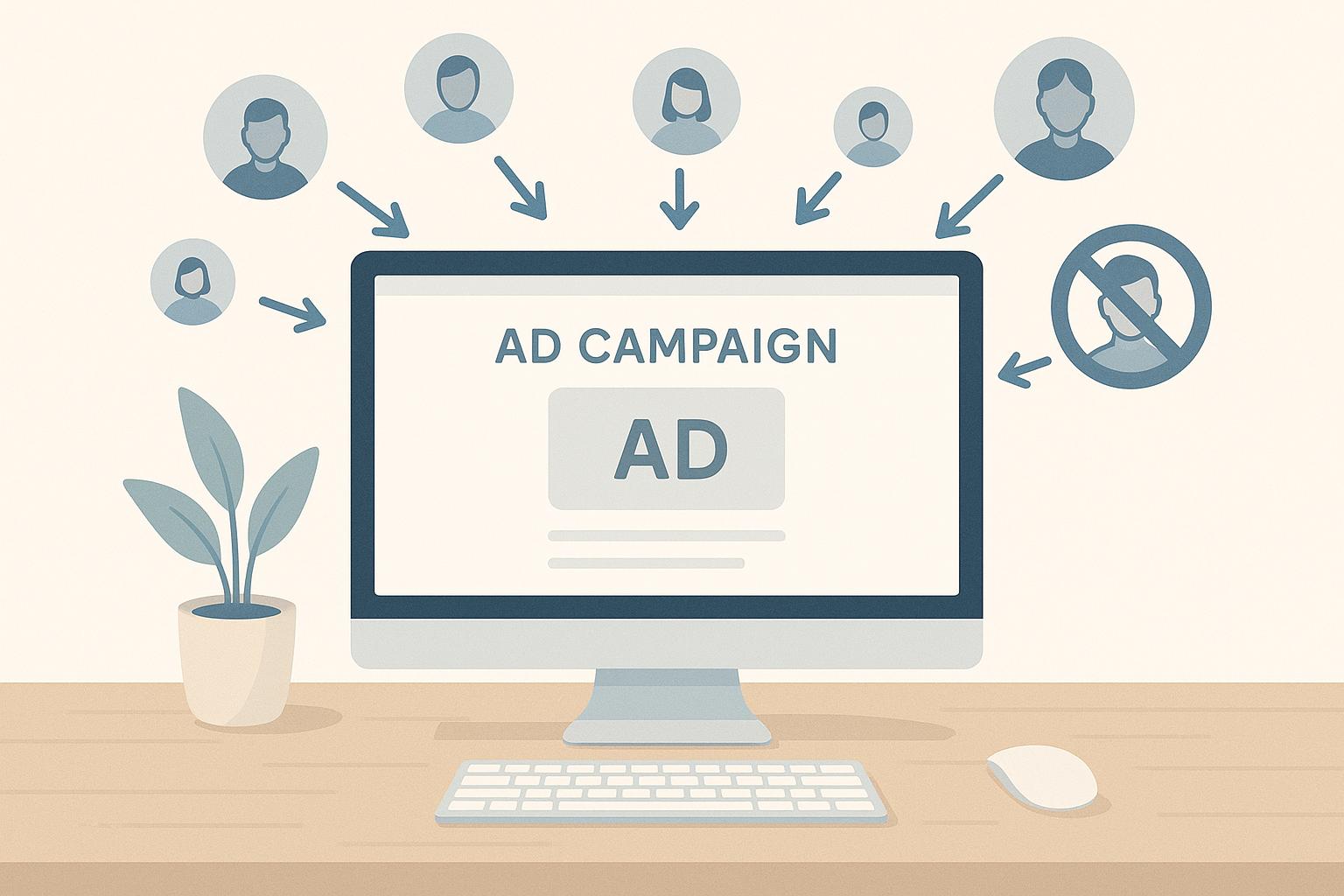
Excluding audiences in PPC campaigns ensures your ads reach the right people while avoiding wasted spend on groups unlikely to convert. By removing irrelevant users – like job seekers, existing customers, or support page visitors – you can lower costs, improve click-through rates, and boost conversions. Here’s a quick overview:
- Why Exclude Audiences?
- Reduces wasted ad spend.
- Improves campaign performance (e.g., higher conversion rates and lower bounce rates).
- Prevents ad fatigue by avoiding overexposure to the same users.
- Who to Exclude?
- Job seekers and career page visitors.
- Current customers (unless upselling or cross-selling).
- Support/help page visitors.
- Low-engagement users or those unlikely to convert.
- How to Set Up Exclusions?
- Google Ads: Adjust exclusions in the "Audiences" section at the campaign or ad group level.
- Facebook Ads: Use the "Exclude People" option in Ads Manager and set custom rules based on user behaviour.
Regularly update exclusion lists and track performance metrics like CTR, CPA, and ROAS to optimise results. Businesses using exclusions effectively report saving up to 50% on ad budgets while improving outcomes.
How To Exclude Audiences In Google Ads
Why Exclude Audiences in PPC Campaigns?
Audience exclusions in PPC campaigns might not be the first thing that comes to mind, but they can make a huge difference in how effectively you spend your budget. Surprisingly, fewer than 25% of advertisers actually use them, and a small 6.4% never even consider it. This oversight can lead to missed opportunities for better performance and cost savings.
The main advantage? Smarter budget allocation. Instead of showing ads to everyone and hoping for the best, audience exclusions let you focus your spending on people who are more likely to interact with your brand. This approach reduces wasted clicks and redirects your budget toward users who matter, improving both financial efficiency and campaign outcomes.
Improving Campaign Performance
One of the biggest benefits of excluding irrelevant audiences is how it sharpens your campaign metrics. By narrowing your focus, your ads are more likely to reach people who will click, engage, and convert. For example, Tray.io tested audience exclusions over nine months and saw dramatic results: click volume dropped by 47.76%, costs decreased by 40.04%, bounce rates went down by 9.62%, pages per session increased by 8.47%, and conversion rates jumped by 14.39%. These improvements stem from higher click-through rates and lower cost-per-click, as ads shown to the right people tend to perform better and signal relevance to platforms like Google Ads.
Preventing Ad Fatigue
Another key benefit is keeping your audience fresh. Ad fatigue happens when people see the same ads repeatedly, causing them to lose interest or even develop a negative perception of your brand. Audience exclusions help avoid this by ensuring ads aren’t wasted on users who’ve already interacted with your campaign or decided it’s not for them. For instance, targeting existing customers with acquisition-focused ads can not only waste money but also create a frustrating experience. Instead, these users could be moved to campaigns focused on upselling or cross-selling. Similarly, excluding visitors who’ve only spent a few seconds on your site or primarily visited support pages can help maintain the effectiveness of your campaigns.
Targeting High-Value Users
At the heart of audience exclusions is the goal of directing your budget toward users most likely to convert. This approach reduces wasted spend on audiences that don’t add value. By focusing on high-value users, you ensure every pound of your advertising budget works harder. For example, you could exclude cart abandoners from top-funnel campaigns or users with high bounce rates and short visits. Exclusions can also help filter out non-human traffic, such as bots, so your ads only reach genuine customers.
Which Audiences to Exclude
Cutting out inefficient audiences not only prevents wasting your ad budget but also improves your chances of reaching people who are more likely to convert. Research shows that groups like existing customers, site visitors, app users, and email unsubscribers can waste around 23% of ad budgets. By excluding these segments, you can focus your resources on attracting new prospects with higher conversion potential.
Here are some audience types you should consider excluding to make your campaigns more effective.
Job Seekers and Career Page Visitors
If you’re aiming for a better return on investment, excluding job seekers and visitors to your career pages is a smart move. These users are typically looking for employment opportunities, not your products or services. Including them in your campaigns often results in clicks that rarely lead to sales.
Most platforms allow you to easily create custom audiences to exclude these visitors. For instance, you can track users who visit pages like "/careers", "/jobs", or "/opportunities" and automatically remove them from your acquisition campaigns. This small adjustment can save you a lot, especially if your company actively recruits and drives significant traffic to its career pages.
This exclusion is even more critical in competitive industries where job seekers frequently research company culture or employment opportunities. These users may click on your ads out of curiosity, but their intent is far from making a purchase.
Current Customers
Another group to exclude from acquisition campaigns is your existing customers – unless your campaign is focused on upselling or cross-selling. Showing ads meant for new customers to people who already use your product or service not only wastes money but also creates a poor user experience.
To exclude these users, you can upload customer lists using email addresses, phone numbers, or customer IDs to create highly accurate exclusion audiences. This ensures your acquisition campaigns target only new prospects, leaving your current customers out of the equation.
That said, you should approach this strategy thoughtfully. For example, recent customers might be excellent candidates for campaigns promoting complementary products or upgraded services. The key is aligning your exclusions with your campaign goals – exclude all customers from campaigns targeting new business, but consider including recent buyers in efforts to boost customer lifetime value.
Support and Help Page Visitors
Users visiting support or help pages are another audience to exclude. These visitors are typically existing customers looking for assistance, not prospects actively considering a purchase. Including them in your campaigns often leads to irrelevant ad impressions and wasted clicks.
These users are usually dealing with product issues, billing questions, or technical problems. They’re focused on resolving their current situation rather than exploring new products. Bombarding them with promotional ads can even harm their perception of your brand by seeming out of touch with their needs.
You can exclude these visitors by tracking traffic to URLs containing terms like "/support", "/help", "/faq", "/contact-us", or "/troubleshooting". Excluding these users ensures your ads are shown to people who are in a discovery or consideration phase rather than those seeking customer service.
This strategy is particularly effective for businesses like SaaS providers, e-commerce platforms, or any organisation with a robust self-service support system. By filtering out this traffic, your campaigns can focus on users actively researching solutions, not just trying to fix existing problems.
How to Exclude Audiences in Google Ads
Excluding audiences in Google Ads can help fine-tune your campaigns and ensure your ads reach the right people. This is done by adjusting settings at either the campaign or ad group level. Below, we’ll walk you through how to locate these settings and set up audience exclusions effectively.
Find Audience Settings
To access audience settings, head to the Campaigns section in Google Ads. From there, select Audiences in the dropdown menu under Audiences, keywords, and content. Once you’re in the Audiences area, you’ll find the Exclusions module. This module lists all current exclusions, their types, and whether they apply at the campaign or ad group level. This layout makes it easier to manage and adjust your audience settings.
Choose Audiences to Exclude
When deciding which audiences to exclude, focus on groups that don’t align with your campaign goals. For example, you can exclude custom audiences based on website behaviour, customer lists, or demographic data. These exclusions are added after your campaigns are set up. It’s a good idea to monitor campaign performance before making these adjustments. Keep in mind that exclusions for keywords and audiences are limited to first-party data.
Set Up Exclusions
Follow these steps to set up or modify audience exclusions:
- To remove an existing exclusion, select the segment and click Remove in the blue menu bar.
- For adding or editing exclusions, click Edit Exclusions. This will open a panel where you can configure your settings.
- Under "Exclude from", choose whether the exclusion should apply at the Campaign or Ad group level. Campaign-level exclusions affect all ad groups in that campaign, while ad group-level exclusions only apply to the selected ad group.
- Tick the checkboxes for the audience segments you want to exclude. If you need to remove a connected segment, click the X next to it.
- Once you’ve finalised your selections, click Save Audience Segment Exclusions.
Interestingly, less than 25% of advertisers apply exclusions to every campaign, and 6.4% never use audience exclusions at all. By taking the time to set up exclusions, you’re positioning your campaigns for better efficiency and cost control.
sbb-itb-dcae4ad
How to Exclude Audiences in Facebook Ads
Facebook Ads Manager provides tools to fine-tune your audience targeting, ensuring your ads reach the right people while minimising unnecessary spending.
Use the "Exclude People" Feature
The "Exclude People" option in Facebook Ads Manager allows you to remove specific audience segments from your campaign targeting. This is particularly useful for avoiding wasted ad spend on groups like existing customers, users who have already converted, or those with low engagement levels.
To set this up, go to Assets > Audiences in Ads Manager. Click the blue "Create Audience" button and choose "Custom Audience." Select your source (the website is a common choice) and then click the "Exclude People" link. From the dropdown menu, specify who to exclude – for example, visitors to particular pages or users who have completed specific actions on your site. Note: You’ll need to have a Facebook Pixel installed on your website to use this feature.
Set Custom Exclusion Rules
As of 31 March 2025, Facebook no longer supports detailed targeting exclusions in Meta ad campaigns. However, you can still use Custom Audience exclusions to refine your targeting. This approach allows for more nuanced audience management by excluding groups based on their behaviours or interactions with your site.
Here are some common strategies for exclusions:
- Existing customers: Remove them from lead generation campaigns to avoid showing irrelevant ads.
- Converted users: Exclude those who have already taken the desired action.
- Employees: Prevent your ads from being shown to staff to reduce wasted impressions.
- Low-engagement users: Focus instead on visitors who are more likely to convert[20,21].
Once your rules are in place, double-check your ad sets to ensure everything aligns with your targeting goals.
Review and Update Exclusions
To maintain precision in your campaigns, it’s essential to regularly review your exclusions. Facebook Ads Manager flags any ad sets affected by the removal of detailed targeting exclusions. Look for warning banners at the top of the campaigns page. Clicking "See affected ad sets" will guide you to those requiring updates.
To edit, go to the "Audience" section under "Detailed targeting" and remove outdated exclusions. Additionally, review your Custom Audiences to ensure they don’t overlap with your target group. Keep an eye on performance metrics and update your exclusion lists regularly to optimise your campaign’s effectiveness[22,23].
Best Practices for Audience Exclusions
Once your exclusions are set up, the next step is refining them through consistent updates and performance monitoring. Effective audience exclusions aren’t a one-time task – they require a tailored approach and regular adjustments to stay impactful.
Update Exclusion Lists Regularly
Customer data, employee rosters, and user behaviours are always evolving. What worked well last month might now be wasting your budget.
Make it a habit to review your exclusion lists monthly. Update customer records, adjust staff lists, and use analytics to identify new user segments that no longer fit your campaign goals. For instance, Google Analytics‘ event tracking tool can help you spot behaviours that signal users who should be excluded from your campaigns.
This practice isn’t just about saving money – it can also boost your results. Tray.io proved this by maintaining exclusions over nine months, leading to higher conversion rates and lower costs.
Match Exclusions to Campaign Goals
Not all campaigns are created equal, and neither are their exclusion needs. A prospecting campaign aimed at acquiring new customers will require a very different exclusion strategy compared to a remarketing campaign targeting previous visitors.
For lead generation, exclude existing customers and users who’ve already converted so your budget targets fresh prospects. In remarketing campaigns, consider excluding users who visited your pricing page but didn’t convert – they might need a different approach or offer. Similarly, brand awareness campaigns often benefit from excluding employees and competitors to ensure your reach metrics remain accurate.
Tailor exclusions to your campaign’s specific goals. For example, if you’re promoting a premium product, exclude visitors to your budget product pages. In B2B campaigns, block personal email domains or consumer-targeted site sections. This kind of precision ensures your exclusions align with your objectives.
"Just like you want to target a certain group of people, you don’t want to target another group of people. You want to exclude them because they’re not qualified, they’re not an ideal prospect, they’re not your ideal customer. So you want to make sure your ads are seen by the people who can not only fulfil your targeting requirements, but are also the right fit for your business, so they can get the most value from your product or service." – Silvio Perez, Founder of AdConversion
With well-aligned exclusions in place, it’s essential to monitor their impact to refine your approach.
Track Performance After Exclusions
Keeping an eye on performance metrics is key to understanding how well your exclusions are working. Measure results before and after applying exclusions to identify trends and areas for improvement.
Focus on metrics like click-through rate (CTR), conversion rate, cost per acquisition (CPA), and return on ad spend (ROAS). These will show whether your exclusions are effectively filtering out unqualified traffic and improving your campaign’s efficiency.
A/B testing can be a valuable tool here. Compare campaigns with and without specific exclusions to quantify their impact. Don’t overlook smaller actions like newsletter sign-ups or brochure downloads – these micro-conversions can offer insights into how user behaviour changes after exclusions are applied. Use conversion tracking codes on relevant pages to capture a complete picture of user activity.
Set a review schedule to stay on top of your optimisation efforts. High-spend campaigns may need weekly checks, while smaller ones can be reviewed monthly. If you notice significant changes in performance metrics, dig into whether recent updates to your exclusions played a role. This data-driven approach not only refines your strategy but also highlights the value of your efforts.
Conclusion
Audience exclusions are one of the most overlooked tools in PPC advertising, yet they can significantly enhance campaign results. By ensuring your ads don’t target those unlikely to convert, exclusions allow you to allocate your budget more effectively, focusing on audiences that are more likely to drive revenue and improve your return on investment.
As mentioned earlier, both Google Ads and Facebook Ads make setting up exclusions a straightforward process. These platforms let you exclude groups like existing customers, job seekers, or visitors to support pages – segments that typically have a lower chance of converting .
The key to maximising their potential lies in consistent management. Surprisingly, fewer than 25% of advertisers use exclusions in every campaign, and 6.4% skip them entirely. This creates a clear opportunity for those ready to take a more strategic approach. Businesses that refine their exclusion strategies regularly have reported cutting ad spend by 20–50% while boosting conversions.
To make exclusions work for you, it’s essential to keep them updated, align them with your campaign goals, and track their performance. Reviewing exclusion lists weekly ensures they reflect the latest customer data and user behaviour. Remember, each type of campaign – whether for lead generation or remarketing – needs its own tailored exclusion strategy. Finally, keeping an eye on metrics like click-through rates, conversion rates, and cost per acquisition will help you measure the effectiveness of your exclusions and fine-tune them for even better results.
FAQs
What risks are involved in excluding audiences in PPC campaigns, and how can you manage them?
Excluding specific audiences in PPC campaigns can sometimes backfire by limiting your ad’s reach, leading to ad fatigue, or even reducing engagement. These issues often occur when exclusions are either too broad or not strategically thought out.
To avoid these pitfalls, make sure your exclusions are grounded in accurate data and directly support your campaign objectives. Keep a close eye on performance metrics and tweak your targeting as needed to strike a balance between reaching more people and staying relevant. When done carefully, exclusions can make your budget work harder while ensuring your ads connect with the right audience.
How can businesses identify and exclude unprofitable audience segments in PPC campaigns?
To spot audience segments that might be draining your PPC budget, focus on crucial performance metrics like click-through rate (CTR), conversion rate, and cost-per-acquisition (CPA). Pay attention to groups that consistently rack up high costs but deliver little in return – these are likely the ones hurting your bottom line.
Make it a habit to regularly review your campaign data. Fine-tune your targeting by excluding underperforming audiences. Tools like negative keywords and audience segmentation based on common behaviours or traits can help weed out groups that don’t match your objectives. By keeping a close eye on performance and making adjustments, you can ensure your budget is spent on the prospects most likely to deliver results.
What are the best ways to use audience exclusions to make PPC campaigns more effective?
To make your PPC campaigns more effective, try incorporating these advanced audience exclusion techniques:
- Filter out irrelevant locations: Use geo-targeting to concentrate on areas where your audience is most likely to engage or convert, avoiding wasted spend in less relevant regions.
- Exclude recent converters: Build remarketing lists that omit users who’ve already completed your desired action, ensuring you’re not targeting those who have already taken the next step.
- Avoid mismatched audiences: Exclude groups with behaviours or interests that don’t align with your campaign goals, keeping your focus on the right prospects.
Regularly analyse performance data to fine-tune your exclusion lists. Tools like Google Ads and Meta make it easier to implement these adjustments, helping you allocate your budget to the audiences that truly matter.